Save Me Brave Knight
| Save Me Brave Knight | ||
|---|---|---|
 | ||
| Game No. | 513 | |
| Voting | 4.86 points, 7 votes | |
| Developer | Viktor Toth et al. | |
| Company | F°451 Software | |
| Publisher | Commodore | |
| Release | 1983 | |
| Platform | C64 | |
| Gamemode | Single player | |
| Operation |  
| |
| Media |  
| |
| Language | 
| |
| Information | Published as part of the "Fantasy Five (Collection)". | |
Description[edit | edit source]

In the game "Save Me Brave Knight", sometimes simply called "Save Me", the player takes on the role of a nameless knight who must rescue his beloved princess from a castle where she has been abducted and imprisoned by a fire-breathing dragon. The player's tasks include breaking down the lock at the castle gate, fending off magical castle guards, and fighting the dragon itself. Finally, the player must guess in which of the two dungeons, from which a delicate hand waves a white cloth, the princess (and not a treacherous decoy) is actually imprisoned.
Backstory[edit | edit source]
...is practically non-existent. The fact that princesses are usually kidnapped by dragons and imprisoned in castles is taken for granted, just as it is taken for granted that massacring these dragons and thus freeing the princesses is part of every knight's daily routine.
Design[edit | edit source]
In four consecutive scenes, all rendered in three dimensions and vibrant colors, the player-controlled knight must complete various tasks. The setting is initially the meadow in front of the castle gate, followed by two different locations in the castle courtyard. The final two scenes depict the same location once during the day and once at dusk. During the game, the player character, their opponents, and projectiles are the main moving elements, while the background is largely decorative.
 |
 |
 |
Graphics[edit | edit source]
The screen is usually displayed in multicolor bitmap mode (bitmap starting at address $6000, video RAM starting at $4400). Only in the second level is the screen split; the upper half, which shows the castle wall and flickering torches, also uses multicolor text mode (video RAM starting at address $4400, character set starting at $5000).
The knight, all projectiles, and most of the opponents are represented by monochrome sprites; only the dragon heads in the third level are part of the background graphics. The game instructions displayed at the bottom of the screen, as well as information on the game status, high score, and remaining lives, are also represented using sprites.
Collisions between the knight, his opponents, and their projectiles are detected in the first level exclusively using the VIC's sprite-sprite collision register $D01E. In the second and third levels, collisions are detected partly using this register and partly by comparing coordinates.
Sound[edit | edit source]
A pleasant three-part melody plays when the game starts, and a single-note melody plays when transitioning from one level to the next and when successfully completing the final level (see section "Theme"). Otherwise, the sound is limited to the mostly simple accompaniment of events in the game.
 |
Hints[edit | edit source]
In the game "Save Me Brave Knight," the player, as a knight on horseback, must infiltrate a castle and fight his way to the dungeon where his princess is imprisoned. The tasks he encounters along the way are incredibly simple and can all be solved by the player pressing and releasing the fire button to hurl lances in the direction indicated by the joystick:

- In the first scene, the knight is standing directly in front of the drawbridge that leads across the moat to the castle. The figure is already correctly positioned at the start of the game, so that simply by choosing the right moment, the swinging padlock on the castle gate can be struck with the lance and thus broken open (see left image in the gallery in the "Design" section).
- In the next image, the knight stands in the torch-lit castle courtyard, which extends indefinitely to the left and right. At irregular intervals, witches and birds of prey swoop down on him from the sides and also shoot him with spears. The goal is to shoot a certain number of these opponents (10 in the first castle, 20 in the second, and 30 from the third onward) with the lance while dodging their projectiles as much as possible. This task is made more difficult by the fact that some of the knight's hits are not recognized as such, so the fight usually lasts considerably longer than necessary (middle image in the gallery in the "Design" section).

- In the next step, the knight advances to the far end of the castle courtyard, where a seven-headed dragon lies in wait, spewing fire at him. Each head must be destroyed individually with a throw of the lance — and because even direct hits are only partially recognized, victory over this opponent usually requires numerous unsuccessful throws (see animation on the right). While it is possible, with a great deal of luck, to destroy each of the dragon's heads with a single shot, the animation on the right in the gallery in the section "Design"], which shows such an effortless victory over the dragon, is based on joystick movements with very precisely planned timing. Instead of a joystick, a specially programmed Arduino was connected to a C64 emulator.
- Once the dragon is defeated, the imprisoned princess finally dares to draw attention to herself by waving her handkerchief out of the dungeon window. However, a malevolent decoy lures the knight to a second dungeon. After pressing the fire button, the outcome is randomly determined: the player has chosen the correct dungeon and freed the princess, or has unfortunately chosen the dungeon with the decoy and is imprisoned there for eternity. Both outcomes are equally likely, so the game ends frustratingly in about half the cases. Otherwise, the second level begins immediately with a new castle and even more enemies, who move even faster and are even harder to hit.
Controls[edit | edit source]
"Save Me Brave Knight" is controlled exclusively with a joystick in port 2. Reflecting the simple tasks assigned to the knight, the controls are incredibly easy: Moving the joystick left or right steers the knight and horse accordingly. When the player presses the fire button, the knight throws his lance in that direction the moment it is released. If you also move the joystick up or down at the moment of throwing the lance, this affects the angle at which the projectile is hurled.
The fight against the dragon presents a special case: Here, the joystick must be moved left or right at the moment of the shot to hurl the lance in the corresponding direction; otherwise, the projectile will fly vertically upwards.
Tips[edit | edit source]
- At the beginning of the first level, the knight is positioned in front of the castle gate in such a way that he can blow up the swinging lock on the gate by throwing his lance at the right moment. Since this is no longer necessarily the case in subsequent levels, you should memorize this position of the knight.
- In the fight against witches and birds of prey, the best way to shoot down the enemies is to wait for them to arrive at the highest possible position and immediately move downwards when they appear. This puts the knight in a favorable shooting position and allows him to dodge his opponents' spears at the same time.
- The easiest way to shoot down the dragon heads is to throw the lance vertically upwards, aiming just to the right of the dragon's neck. If you hit the dragon head on the tip of its snout while it is looking to the right, it is defeated.
- The choice of dungeon from which you rescue the princess is random. Therefore, you can simply press the fire button at the beginning of the fourth level.
Solution[edit | edit source]
"Save Me Brave Knight" doesn't have a solution in the way you would expect from a knight's tale ("And they lived happily ever after..."). Instead, the player-controlled knight must clear castle after castle of witches, birds of prey, and dragons with his lance until these enemies finally defeat him. Whether he rescues the same princess each time is difficult to determine, since the player never actually sees her! Perhaps the same princess will always run into the clutches of the next dragon within seconds, or it might be a different princess each time, and the knight will gradually build up a harem — that's left to the player's imagination.
Cheats[edit | edit source]
Currently, no cracks with a trainer function are available on the internet. However, since most of the cracks stored in CSDb consist of a single uncompressed program file, it is advisable to modify them using POKE commands before starting the game. For example, the necessary commands for the OTD crack (https://csdb.dk/release/?id=130879) are:
POKE 10434,173 : REM PROTECTION AGAINST PIGEONS IN LEVEL 1
POKE 13219,173 : REM PROTECTION AGAINST WITCHES AND BIRDS IN LEVEL 2
POKE 13941,173 : REM SPEAR PROTECTION AT LEVEL 2
POKE 14840,173 : REM FIRE PROTECTION AT LEVEL 3
POKE 15404,0   : REM ALWAYS CHOOSE THE CORRECT DUNGEON IN LEVEL 4
L=99 : POKE 10656,L  : REM AT THE START OF THE GAME, L INSTEAD OF 37 LIVES, L=1...255
G1=3 : POKE 13996,G1 : REM IN THE FIRST CASTLE, ON THE SECOND LEVEL, SHOOT DOWN G1 INSTEAD OF 10 OPPONENTS, G1=1..255
G2=6 : POKE 13997,G2 : REM IN THE SECOND CASTLE, ON THE SECOND LEVEL, SHOOT DOWN G2 INSTEAD OF 10 OPPONENTS, G2=1..255
G3=9 : POKE 13998,G3 : REM IN THE THIRD CASTLE, ON THE SECOND LEVEL, SHOOT DOWN G3 INSTEAD OF 10 OPPONENTS, G3=1..255
The specified BASIC program lines can be combined in any way. This allows you to execute only a subset of the given commands if not all trainer functionalities are desired. If you want to play with the same settings for an extended period, it is advisable to save the modified program code before starting the game to avoid having to re-enter the POKE commands each time.
Internal Data Structures[edit | edit source]
For developing your own trainer functions and for analyzing or manipulating the data used by the game, knowledge of memory allocation and internal operation is helpful. The following table therefore compiles a range of information about "Save Me Brave Knight".
| Address | Content | Range of values | Comments |
|---|---|---|---|
| $1D1F | Castle number | 0..2 | 0=first castle, 1=second castle, 2=third and all subsequent castles |
| $1D20 | Number of lives | 37..0 | Decreases each time the knight is hit by a projectile |
| $1F0C | Enemies to be shot down in level 2 | 30..0 | Decreases with each shot of a witch or bird of prey Initially 10 in the first castle, 20 in the second castle, 30 in the third and all subsequent castles |
In level 4, the judgment as to whether the knight has chosen the correct dungeon and actually freed the princess does not depend on the previous course of the game, but solely on the moment the player presses the fire button: Shortly after the button is pressed, the program reads the least significant byte of counter A of CIA 1 and, based on bit 7, makes the decision about the further course of the game:
3BBE: LDA $DC04 ; Read low byte of timer A from CIA 1
3BC1: CMP #$80  ; Is the counter in the 128...255 range?
3BC3: BCS 3BDD  ; Yes, thus wrong dungeaon and end of the game
3BC5: ...       ; otherwise correct dungeon, play melody and switch to next castle
      ...
3BDB: CLC       ; CF=0 means "Switch to next castle"
3BDC: RTS       ; Return to calling routine
3BDD: ...
      ...
3BE2: STC       ; CF=1 means "End of the game"
3BE3: RTS       ; Return to calling routine
Since Timer A counts system clock cycles, the princess and the decoy obviously exchange places almost 8,000 times per second (exactly: 985,248 Hz / 128 = 7,697 times per second for PAL, 1,022,727 Hz / 128 = 7,990 times per second for NTSC). The POKE command suggested in the section "Cheats", which ensures the knight always chooses the correct dungeon, simply sets the jump offset of the branch command at address 3BC3 to 0.
Votes[edit | edit source]
| Voting of the C64-Wiki users (10=the best vote): | ||
| 4.86 points at 7 votes (rank 1104). You need to be logged in to cast a vote. | ||
| C64Games | 1 | November 2, 2025 - "sehr schlecht" - 19762 downs |
| Lemon 64 | 6,95 | October 27, 2025 - 21 votes |
| Ready64 | 6,00 | October 27, 2025 - 1 voto |
| Rombachs C64-Spieleführer | 8 | September 1984 - "Verdict 2" |
Critics[edit | edit source]
Stephan64: "Save Me Brave Knight, a classic among C64 games thanks to its early release, starts with a pretty melody and a nicely designed scene in front of the castle gate. That's about all the positive things that can be said about this program. What follows are enemies who remain alive despite multiple direct hits, flickering background graphics, and a rescue mission for the princess, which randomly ends the game either immediately — or, alternatively, shortly thereafter in the far too fast and therefore practically unplayable second level. My quality rating is therefore "annoying" (3 points)."
Rombachs C64-Spieleführer: "A program designed with wit and imagination that is enjoyable (rating 2)." [1]
Shakermaker303: "I used to enjoy playing it. Easy to learn, even if the controls aren't always precise. A nice game for its year of release."
Rockford: "Nicely colorful, gameplay is purely a matter of luck, technically flickering. 3 points."
Miscellaneous[edit | edit source]
Cover[edit | edit source]
 |
 |
Inlay[edit | edit source]
 |
Cassette[edit | edit source]
 |
 |
Video Recording[edit | edit source]
Longplay recording of the game
Bugs[edit | edit source]
- The screen display in the second level, in which the knight must defend himself against broomstick-riding witches and birds of prey, uses two different graphics modes, which are switched between via raster line interrupts: Starting at raster line 153, the VIC switches to the multicolor bitmap display, and starting at line 216, it switches back to the multicolor text mode.
However, the interrupt routine at raster line 153 not only switches to bitmap mode, but also checks whether the knight has hit an enemy with his lance. The handling of a potential hit takes so long that the interrupt routine is only exited after line 216 has already finished. Therefore, the necessary interrupt, including the switch to text mode, is only triggered during the next screen refresh, and the VIC remains in bitmap mode until then. For the player, this is visible as a brief flash of the screen after each hit, as can be seen in the following gallery: on the left in normal speed and on the right in 12.5x slow motion.
|
 |
- At the beginning of each level, the remaining number of lives is displayed as a single digit at the bottom of the screen. However, the knight initially has 37 lives, so a single-digit display is insufficient. The displayed number is determined by using the least significant nibble of the number of lives (in hexadecimal representation) as the index in the character set. The initial number of 37 lives (hexadecimal $25) is therefore displayed as "LIFE: 5", the number of 32 lives (hexadecimal $20) as "LIFE: 0", 31 lives (hexadecimal $1F) as "LIFE: ?", and 26 lives (hexadecimal $1A) as "LIFE: :".
 |
 |
Theme[edit | edit source]
The following gallery shows the title theme and the short sequences that underscore individual events in the game, in standard musical notation. For creative reuse, the sheet music is also available as a PDF document (File:SaveMeBraveKnight Theme PDF.pdf) and in ABC musical notation (File:SaveMeBraveKnight Theme.abc.txt).
 |
 |
Accesories[edit | edit source]
The "Fantasy Five" game collection includes an 8-page instruction manual. The following image shows the user instructions for the game "Save Me Brave Knight." The complete manual can be found here: File:FantasyFive Manual.pdf.
 |
Trivia[edit | edit source]
According to the developer, Viktor Toth, the knight does not fight seven fire-breathing dragons in the third level, as described in the manual, but rather a single seven-headed dragon, a fantasy figure known from Hungarian fairy tales.[2]
Fastloader[edit | edit source]
The cassette version of the game collection "Fantasy Five" uses the fast loader "Novaload". Because each of the two included cassettes contains multiple games, this fast loader first loads a selection menu written in BASIC, from which the user can select the desired game. The menu program then loads all program components belonging to the selected game. In the case of "Save Me Brave Knight," the last program component is loaded at address $0801 and overwrites the menu program there, among other things, with another BASIC program consisting only of the line
1985 SYS35090
The quick loader executes this program automatically after loading the last data block, thus starting the game.
During the first phase of the loading process, the fast loader displays, among other things, a scrolling text in which Commodore advertises other games from their company (middle image in the following gallery):
COMMODORE PRESENTS 'FANTASY FIVE' FOR THE COMMODORE 64. A COMPILATION OF EXTRAORDINARY GAMES FROM ANDROMEDA SOFTWARE. (C) COMMODORE BUSINESS MACHINES (UK) LTD 1984.
LOOK OUT FOR OTHER COMMODORE TITLES SUCH AS:- 'ARCADE EXTRAVAGANZA' AND 'INTERNATIONAL SOCCER'.
COMING SOON ON CASSETTE:- 'STOP THE EXPRESS'!!!
 |
 |
 |
Highscore[edit | edit source]
The following list invites you to immortalize yourself with your highest score. The total number of castles the knight has tackled can also be entered as a "level"; however, the ranking is determined solely by the score.

- Rockford - 40.710 - 4 (08.11.2025)
- Ivanpaduano - 34.240 - 3 (07.11.2025)
- Shakermaker303 - 26.760 - 3 (01.11.2025)
- Riffislam - 16.710 - 2 (31.10.2025)
- Stephan64 - 13.320 - 2 (29.10.2025)
- Nini - 4.600 - 1 (31.10.2025)

|

|
|||
| #2 Ivanpaduano | #3 Shakermaker303 |
-
 #4 Riffislam
 -
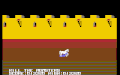 #5 Stephan64
 -
 #6 Nini


Links[edit | edit source]
- C64Games.de - Game No. 155
- Gamebase64.com - Game No. 6584
- Lemon64 - Game No. 2225
- C64.com - Game No. 1627
- ready64 - Game No. 2729

- CSDb - Release No. 130879
- CSDb (all entries)
- Save Me Brave Knight at MobyGames

Sources[edit | edit source]
- ↑ Oswald Reim, Martin Scholer: "Rombachs C64-Spieleführer", Rombach, 1984, page 300
- ↑ Memories of the developer Viktor Toth
